TuxGuitar supports custom skins. The skins modify toolbar icons and dialog buttons.
The default skin for TuxGuitar is Breeze, but TuxGuitar comes with two other great skins: Symbolic and Oxygen. All three skins are available in a light version with dark labels for use with a light background, and in a dark version with light labels that you should use if you have your desktop set to dark mode.
On startup, TuxGuitar tries to find out if your desktop is set to light or dark mode and automatically selects the correct version of the skin. In case this detection does not work correctly in your environment, you can switch it off by setting skin.dark-mode.auto=false in the tuxguitar.cfg file. You can change the current skin in the Skins tab of the Tools → Settings dialog. A preview of each skin is also available.
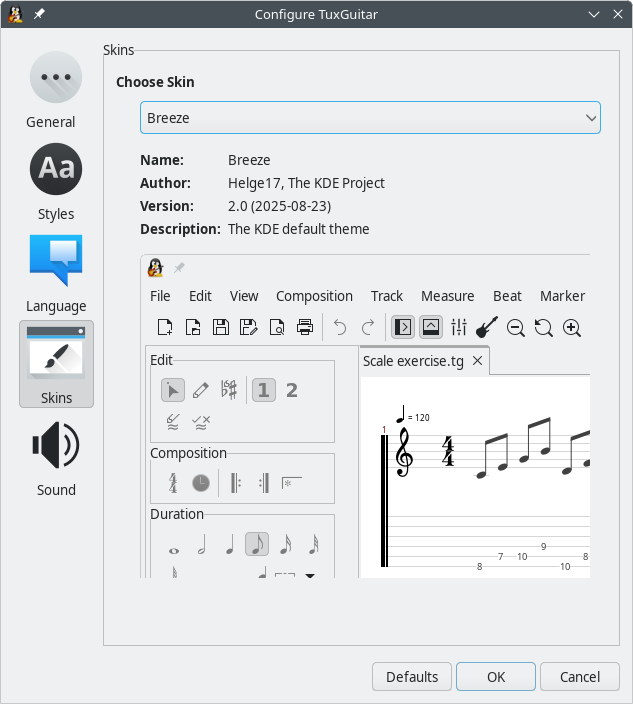
To add a new skin, create a new folder in $TG_DIR/share/skins/ and copy the needed files into that folder. After that the skin should be available in the dialog.
Skins can also be contributed by TuxGuitar users, so if you are a talented designer, feel free to make your own skin or modify an existing one!